
Looking to digitize personal or family archival materials? Sign up for the Wende Museum’s Digitization Day on Friday, May 29, 2026.
Reserve a free 50-minute time slot at one of the Wende Museum’s scanners. In addition to making scanning sessions available through advanced registration, the Wende is also accepting walk-in appointments. Wende staff will be on hand to help you as needed. Please bring your own portable USB-A or USB-C-compatible storage device (such as an external hard drive or thumb drive).
Please read the descriptions to decide which equipment to sign up for:
Scanner (participant operated with guidance from staff): Paper materials (photographs, letters, ephemera, etc.) that do not exceed 8.5″ x 11.7″ and slides.
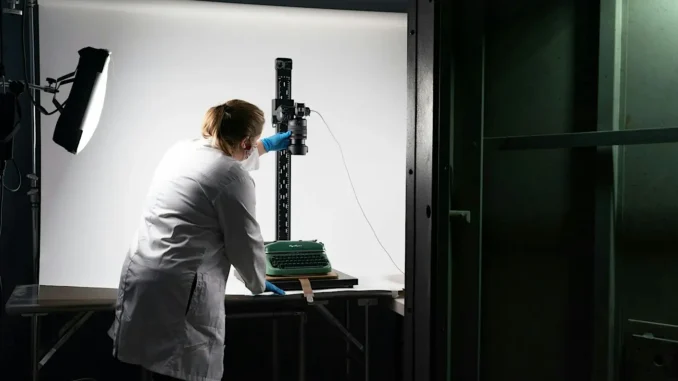
Oversized camera (staff operated but will require participant assistance): Paper materials (including photo albums with photographs that cannot be removed, scrapbooks, and paintings) that do not exceed 19″ x 23″. Please note that if an object is glossy, it will have glare in the image.
Participants may only sign up for one piece of equipment during a given time slot. If participants sign up for multiple pieces of equipment during a single session time, the museum will cancel all but one of the reservations.
There will be a small amount of dedicated space for participants to store the materials they would like to digitize while they wait. This space is first come, first serve.
If you have any questions, feel free to reach out to research@wendemuseum.org.
Preparing For Your Appointment: Consider the quantity of materials you are planning to scan and prioritize the order of specific materials in case you are unable to get through everything in your 50-minute time slot. To participate in the Wende’s Digitization Day, you must bring your own portable USB-A or USB-C-compatible storage device, such as an external hard drive or thumb drive. Please note that the amount of storage on the device may limit the number of scans or the types of file formats you can save. TIFFs take up much more storage space than JPGs. If you have questions about what type of portable storage device or file format will work best for your needs, you can reach out to staff at research@wendemuseum.org. Please make sure your storage device is in working condition and has enough space to store your new scans.
When you arrive, enter through the front of the Wende Museum. From there, you will walk through the garden towards the Glorya Kaufman Community Center and check-in to your appointment with Wende staff. Digitization Day will take place in the A-Frame theater of the Glorya Kaufman Community Center.
Please plan to arrive at the A-Frame Theater at least 10 minutes before your appointment time to get checked in. Once your workspace is ready, Wende staff will show you how to operate the scanner. Staff will have a staging area available upon request if you would like to organize your materials before you start scanning. If you are signed up for a time slot with the oversized camera, a Wende team member will work with you for the duration of your appointment. Wende staff will be present throughout the day to assist with any questions that come up while scanning your materials.
The number of scans you will get through will be dependent on the file format of the scans. If you are planning to scan your materials as TIFFs (the highest-quality image format type), the scan time will be much longer than if you are planning to scan your materials as JPGs. It can take up to 15 seconds to download a high-resolution TIFF image, so please take that into consideration when deciding which format type to scan your materials as.
Learn more on how to reserve your space.
